



Price
188.00 azn
In stock
29 Pc
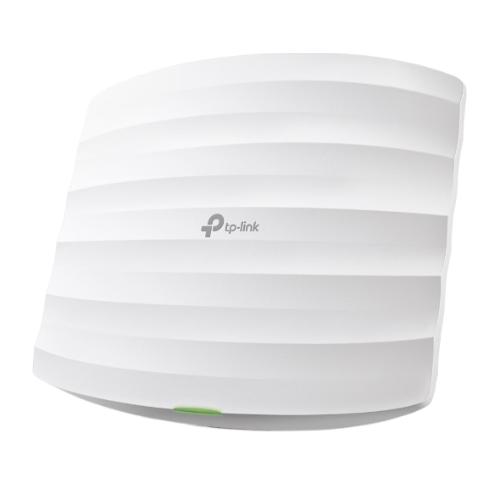
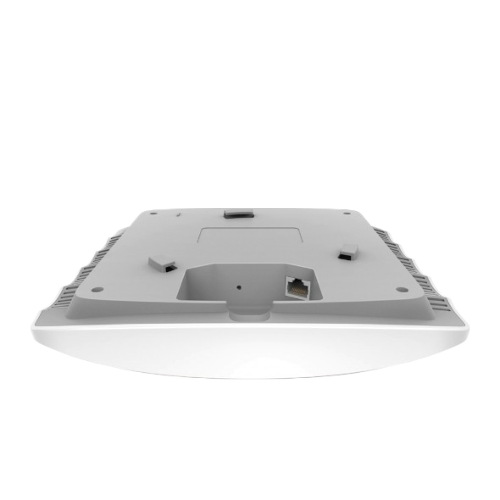
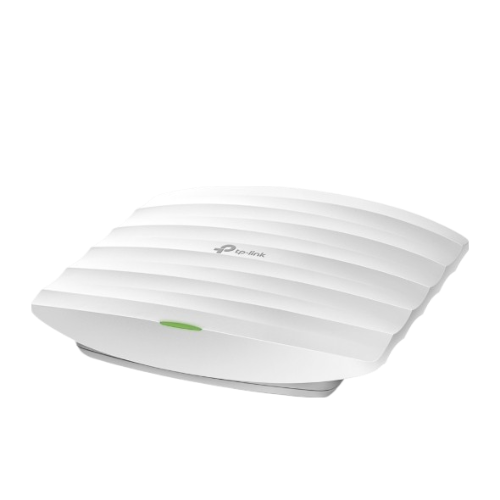
EAP225 AC1350 Ceiling Wi‑Fi Hotspot
Up to 1,317 Mbps in two Wi-Fi bands: up to 450 Mbps on 2.4 GHz and up to 867 Mbps on 5 GHz
Fast roaming (802.11 k/v) provides high mobility
Omada Mesh technology provides wireless connectivity between access points over a long distance, making their installation more convenient and flexible.
Software-based EAP Controller for easy management of multiple access points
Supports Power over Ethernet (802.3 af) and passive PoE for easy placement and power delivery
Guest authentication portal for Wi-Fi networks
MU-MIMO provides simultaneous data transfer to multiple clients, speeding up their connection.
Beamforming amplifies the signal in the desired direction, providing faster and more stable Wi-Fi
VLAN management support for improved network management
Set up schedules for automatic reloading of access points and enabling / disabling Wi-Fi at the right time
| Hardware Specifications | |
| Interfaces | 1 Gigabit Ethernet (RJ45) port (supports IEEE802. 3af PoE) |
| Physical lock connector | Yes |
| Button | Reset |
| Power supply | 802.3 af/at PoE (mode A) 24V passive PoE (+4.5 pins; -7.8 pins. PoE adapter included) |
| Power consumption | 12.6 W |
| Dimensions (W × L × H) | 205.5 × 181.5 × 37.1 mm |
| Type and / or number of antennas | 2.4 GHz: 3 built-in omni-directional 4 dBi antennas 5 GHz: 2 built-in omni-directional 5 dBi antennas |
| Placement | on the ceiling/wall (mounting kit included) |
| Wi-Fi Settings | |
| Wi-Fi Standards | IEEE 802.11ac/n/g/b/a |
| Frequency ranges | 2400-2483. 5 MHz 5150-5350 MHz |
| Transfer Rate | * 2.4 GHz: 3 × 3 MIMO, up to 450 Mbps • 5 GHz: 2 × 2 MIMO, up to 867 Mbps |
| Wi-Fi Features | Multiple SSIDs (up to 16 SSIDs, 8 on each frequency) Enable / Disable Wireless broadcasting Automatic channel assignment Transmission Power Management (in dBm) QoS (WMM) Seamless Roaming * Omada Mesh* Band Steering MU-MIMO Load Balancing Airtime Fairness Beamforming Speed Limit Reboot Schedule Wireless Mode Schedule Wireless Mode Statistics for SSID/Access Point/Client |
| Wi-Fi network Protection | Authentication portal* Access Control MAC address filtering Isolating wireless clients Matching SSID - > VLAN Detecting unauthorized access points 802.1 X support |
| Transmitter power | < 20 dBm or < 100 MW |
| Management | |
| The Omada App | Yes |
| Centralized management | • Omada Hardware Controller OC300 • Omada Hardware Controller OC200 • Omada Software Controller • Omada Cloud-Based Controller (Supported by EAP225 V3.0, V4.0 and above, and is not supported by EAP225 V3.20) |
| Cloud access | Yes, through • OC300 • OC200 • Omada Software Controller • Omada Cloud-Based Controller (Supported by EAP225 V3.0, V4.0 and above, and is not supported by EAP225 V3.20) |
| Email notification | Yes |
| Managing indicators | Yes |
| SNMP | v1,v2c |
| System Log | Local / Remote system Log |
| SSH | Yes |
| Web-based management interface | HTTP/HTTPS |
| Level 3 Management | Yes |
| Managing different locations | Yes |
| VLAN Management | Yes |
| Automatic configuration of parameters | Yes |
| Other | |
| Certification process | CE, FCC, RoHS, GOST 17516.1-90 |
| Scope of delivery | AC1350 Wireless Dual Band Gigabit Access Point EAP225 Passive PoE Injector Power Cable Mounting Kit Installation Guide |
| System requirements | Microsoft Windows XP, Vista, Windows 7, Windows 8, Windows10, Linux |
| Environmental parameters | Working temperature: 0℃ - 40℃ Storage temperature: -40℃ - 70℃ Air humidity during operation: 10% - 90%, non-condensing Storage humidity: 5% - 90%, non-condensing |
